

How To Improve AI Visibility For Your Website Using Semrush?


You may know that many top websites have experienced a drop in their site traffic, and even our DevOpscube has been affected.
But, we are growing our visibility again, not through clicks, but by being cited by LLMs, and Google's AI Overview.
The old method of measuring success through metrics and user behavior has changed.
Recently, I watched a podcast where Google's CEO, Sundar Pichai, said in a Stripe podcast, that Google is evolving into an Agentic search Engine, and it is already happening.
So, now the 2026 and beyond priority is to optimize your blogs and business site for AI, which means websites need to become GEO(Generative Engine Optimization) friendly.
In this guide, you will learn how to find the gaps, identify the prompts that users are searching for, measure your site's AI visibility, and optimize your content to be cited on AI search engines using Semrush AI Visibility.
Analyze using Semrush AI Visibility Overview
This is a tool, where you can identify whether your site is visible on LLMs. You can view the score, identify new opportunities, and more.
Let me explain in detail how to use this tool and analyze the reports.
How to Use the AI Visibility Overview?
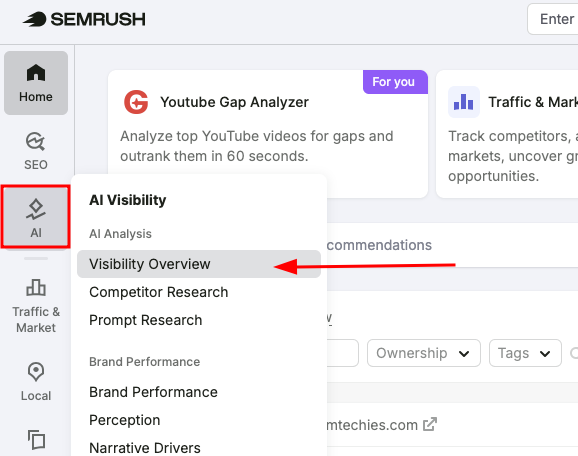
First, in the dashboard, find the AI option and click on the Visibility Overview.
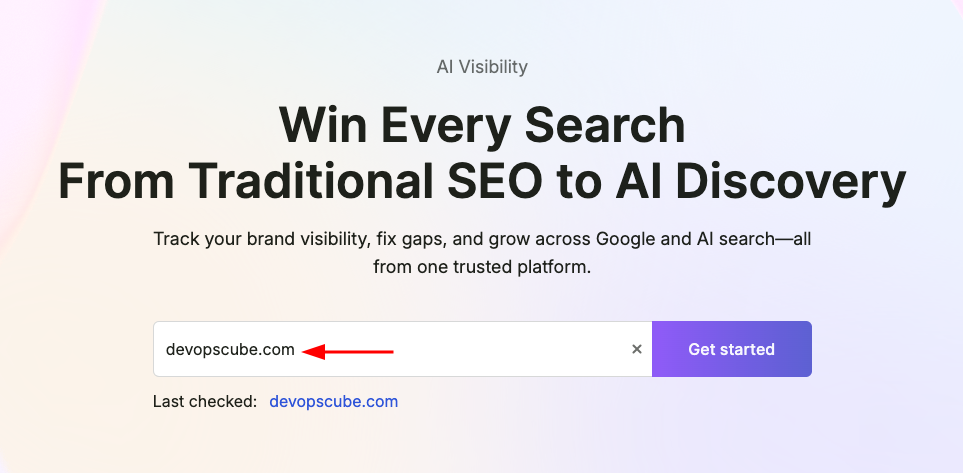
Next, just enter your site domain (e.g, devopscube.com), and click the Get Started button.
This is where you will see an overview of your site's AI search visibility.
As you can see, we have scored 16/100. But, in the initial stage, it was just 2%, but we improved it over time.
The score indicates how often your website or brand is cited in AI answers compared to other brands in your niche.
So, if your score is high, it means your brand is cited mostly in the AI-generated answers.
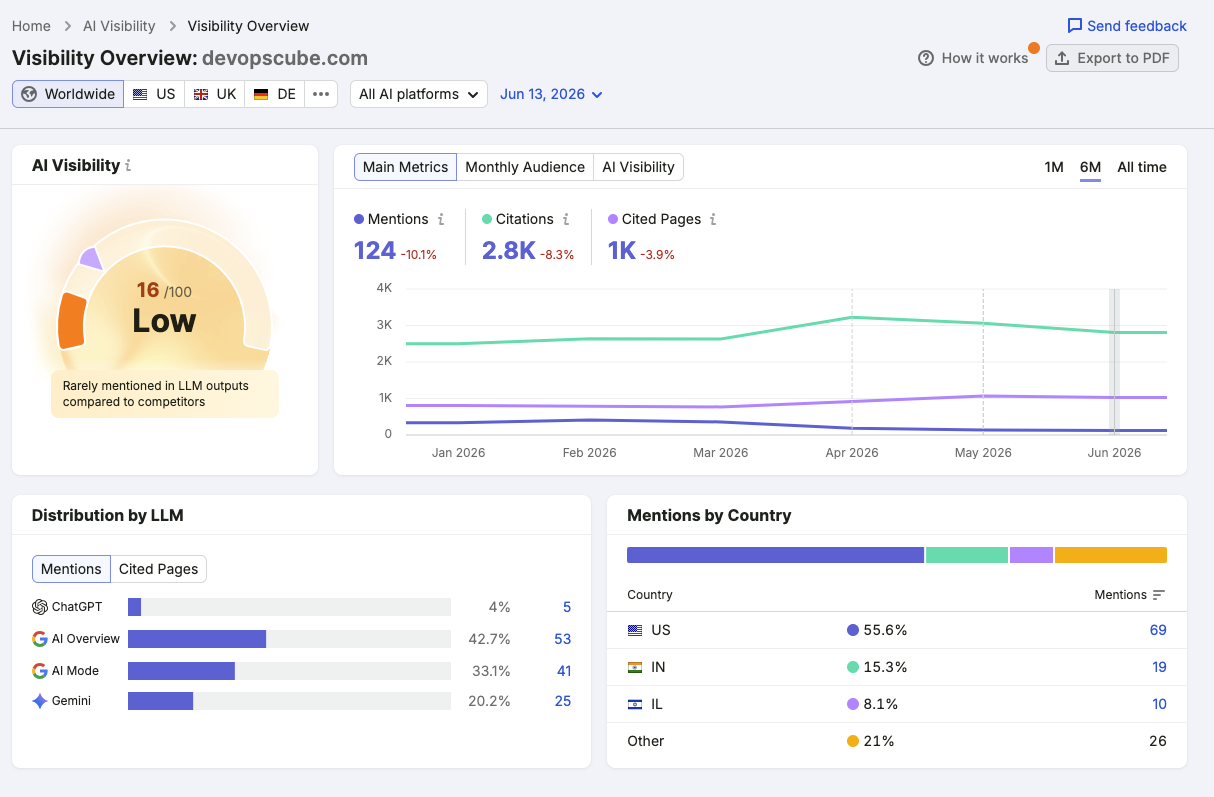
Now, on the right side, you will see three options such as Main Metrics, Monthly Audience, and AI Visibility.
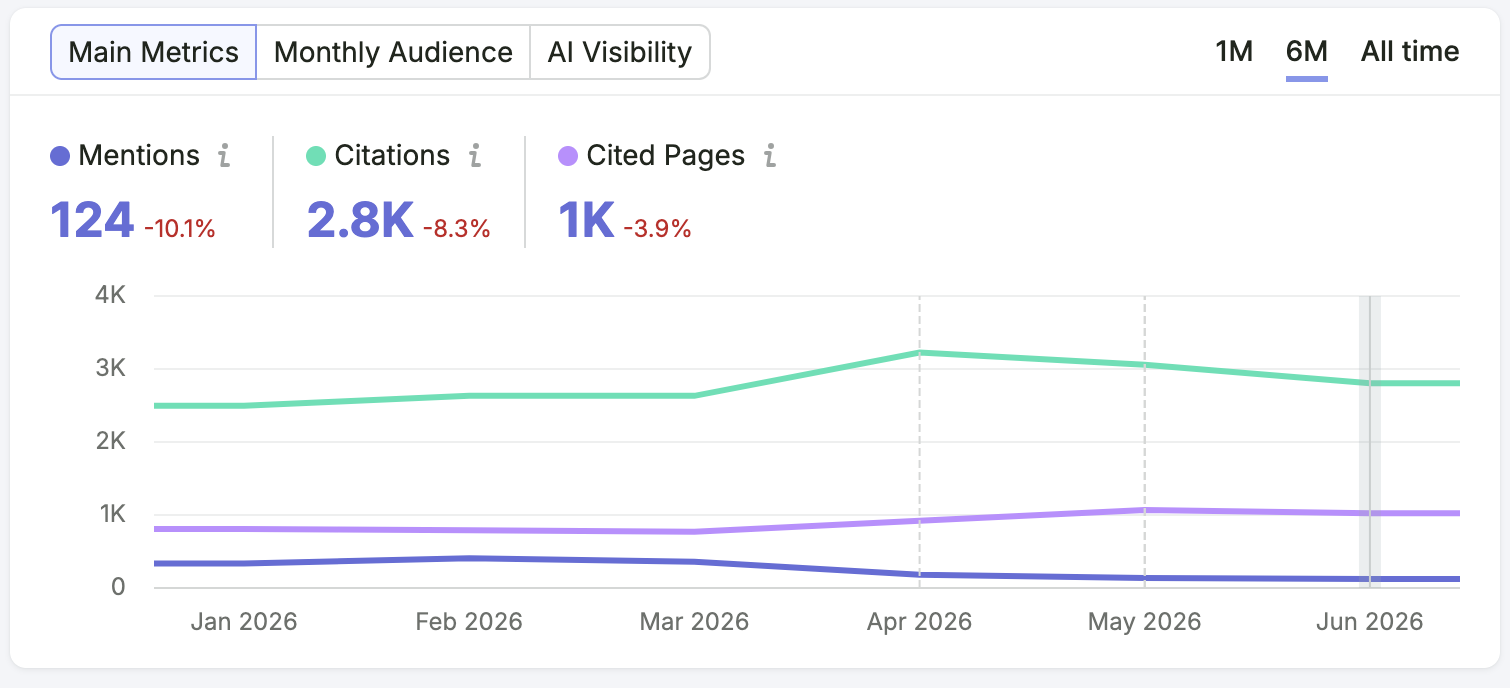
Main Metrics
First, let's understand the Main Metrics.
- Mentions - Shows whether your brand is mentioned in an AI-generated response when a user enters a specific prompt.
- Citations - Indicates how many times your brand is cited as a source.
- Cited Pages - Shows how many times your website's page is cited in the AI response.
Monthly Audience
Next, let's come to know about the Monthly Audience.
I am pretty sure you already know about the monthly audience metric. But if you don't know, let me explain.
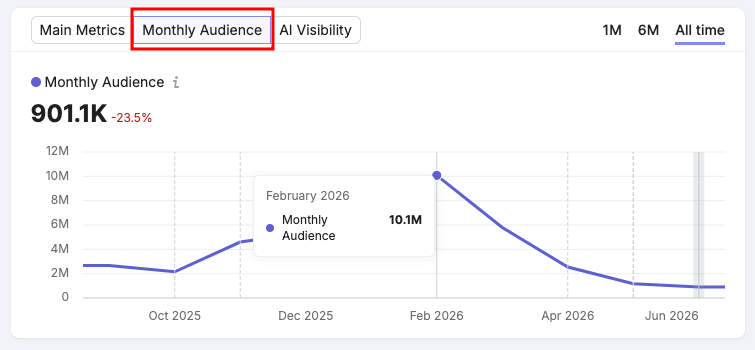
This metric shows the search volume of your domain across all pages that are mentioned in the AI-generated volume.
To be honest, this is a good sign for us. Because nowadays, most sites are struggling to optimize for LLMs.
But we are getting over a million search volume from the LLMs.
AI Visibility
Let's continue to the next metric, which is AI visibility.
I believe the image below gives you a good idea of what this metric is about.
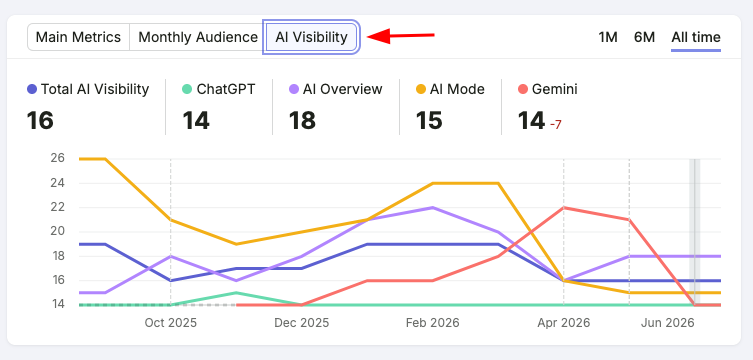
This is a comparison metric that shows where most of your AI visibility is coming from.
Distribution by LLM
This metric will show you, from where you are getting AI traffic for your site frequently. This helps you understand, which LLMs cited your page the most.
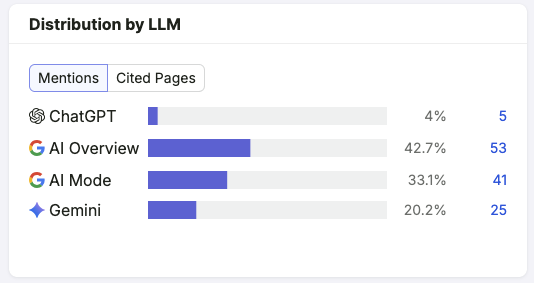
Here, you can see the metrics from ChatGPT, AI Overview, AI Mode, and Gemini.
You can also see which countries your mentions come from through LLMs. For us, most of the US. So, we know, that most of our audience is.
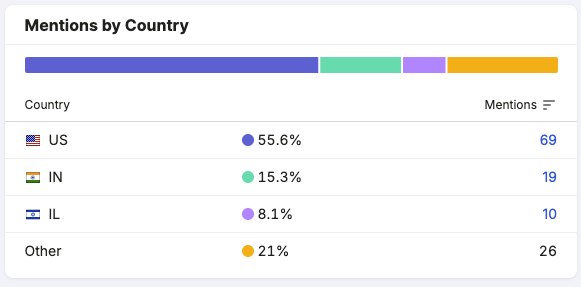
Even a single small metric is really important when you are trying to improve your visibility in AI search results.
Table & Sources
Now, scroll down, and you will see the Table and Sources metrics, shown in the image below. Let me walk you through them step by step.
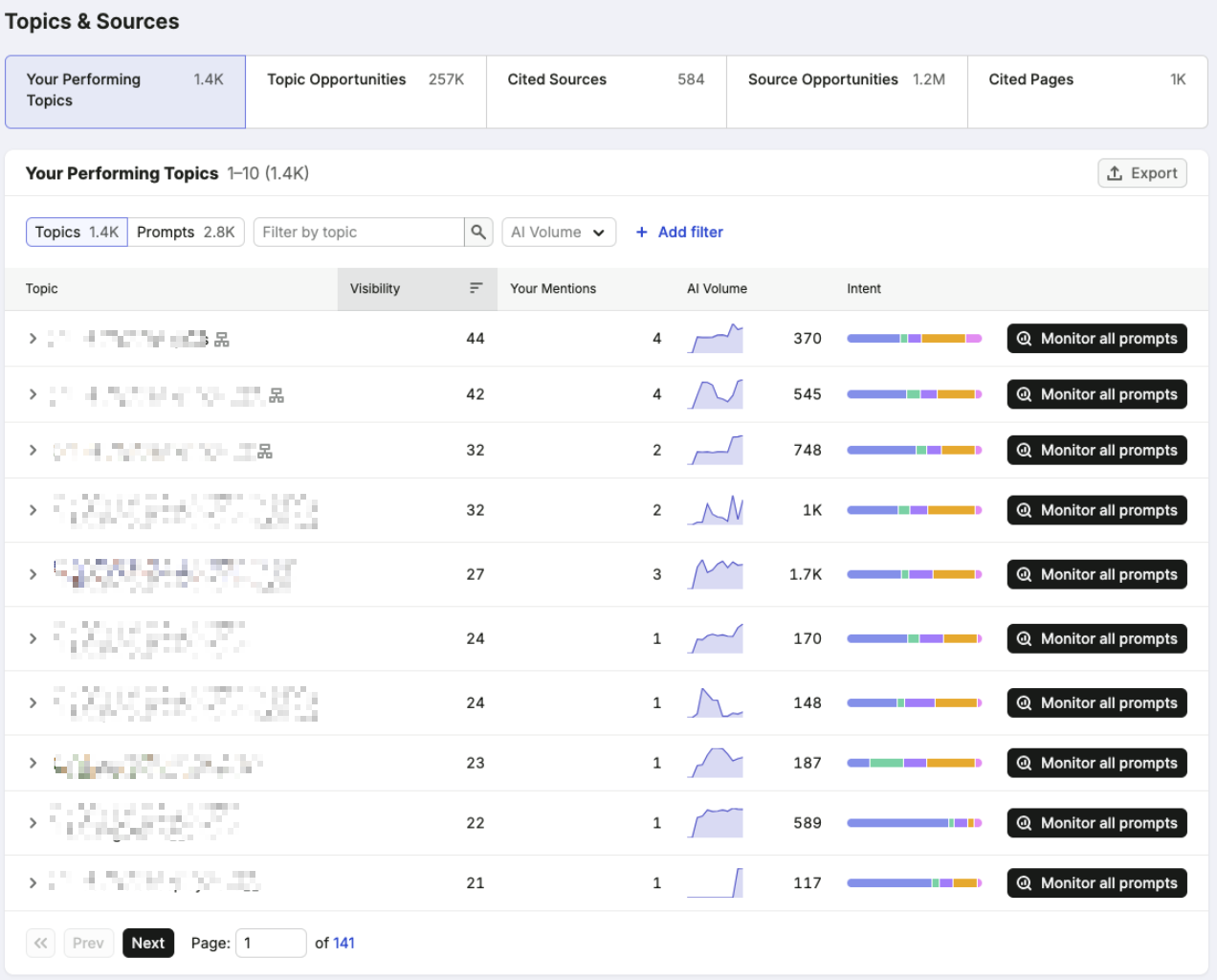
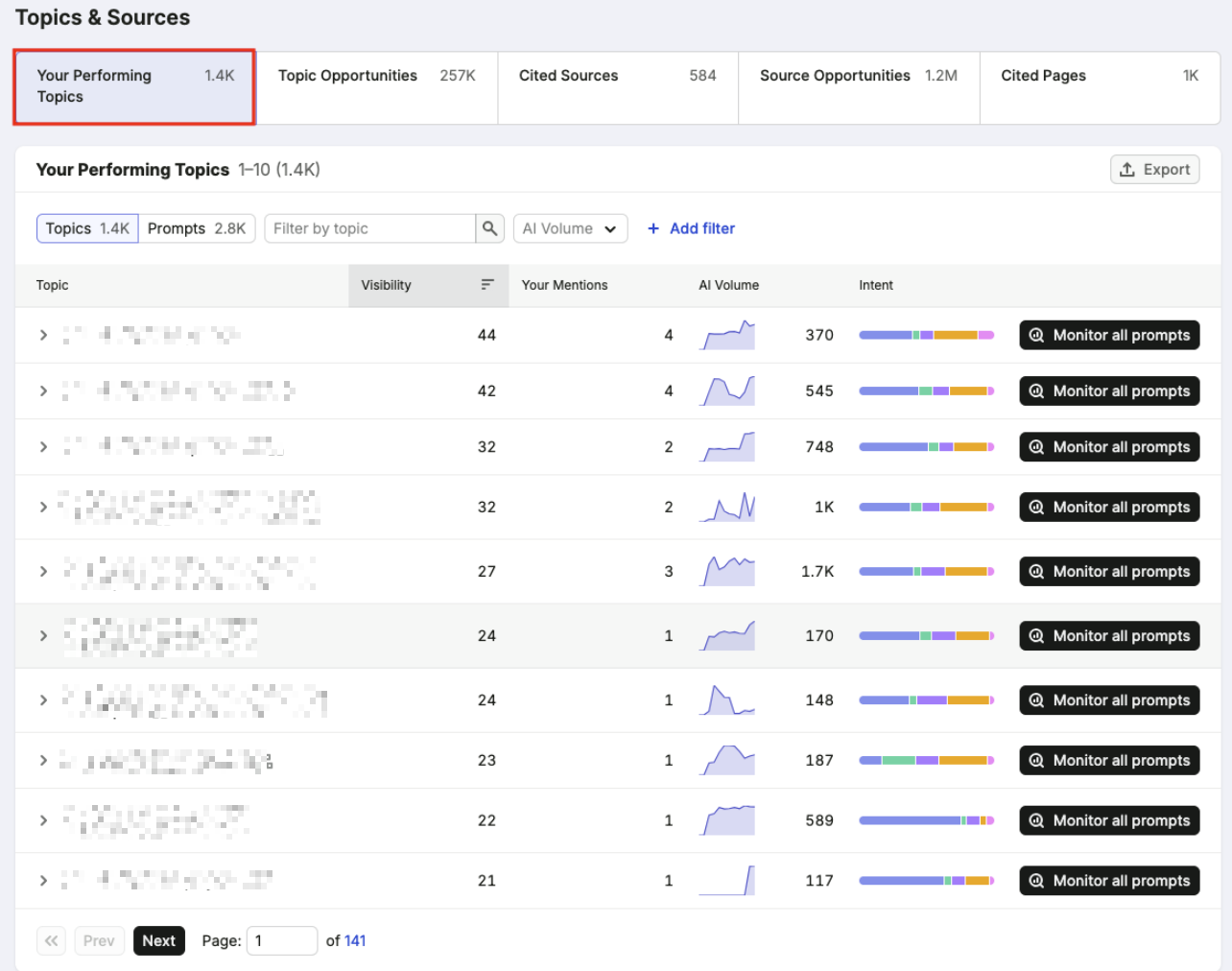
First one is Your Performing Topics.
In this section, you can see that the topics and prompts of your pages are being cited by the LLMs. You can also see which country your brand is cited in.
If you want to see what people are prompting for a specific page, just click the arrow button. You will see the actual prompts and the AI response pulled from your site.
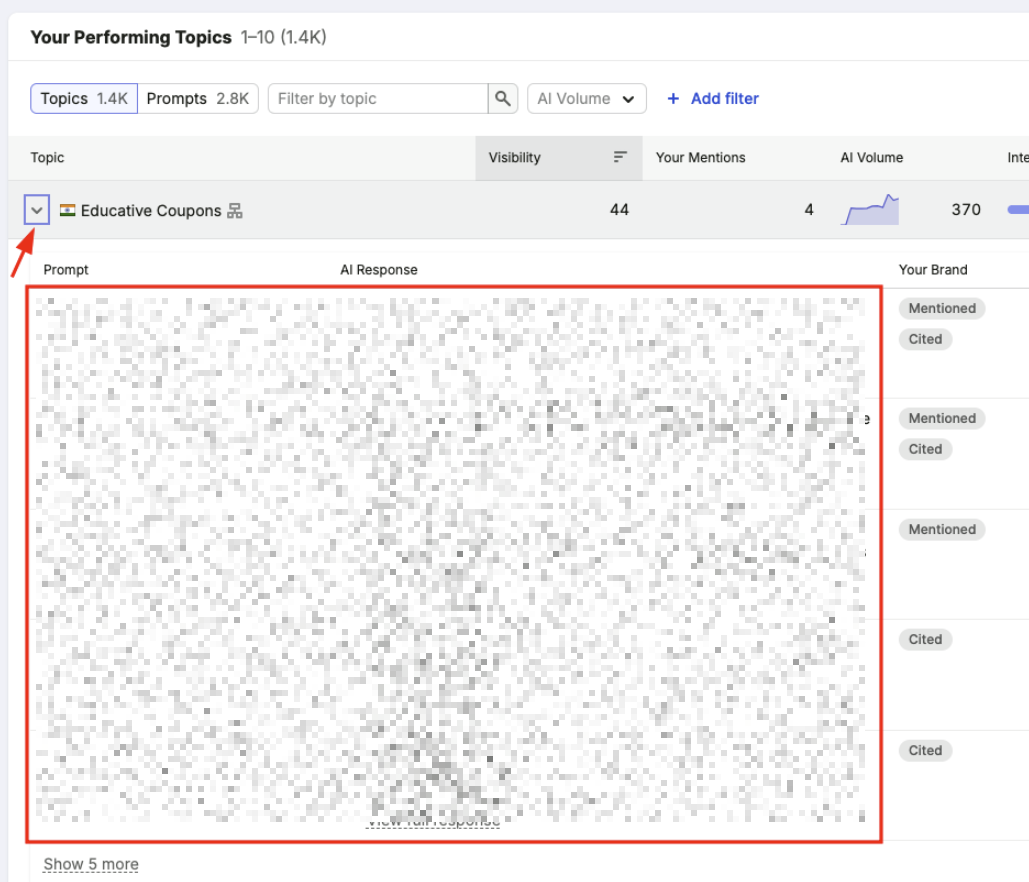
This is where you start to understand how people interact with AI search and which content LLMs prefer to cite.
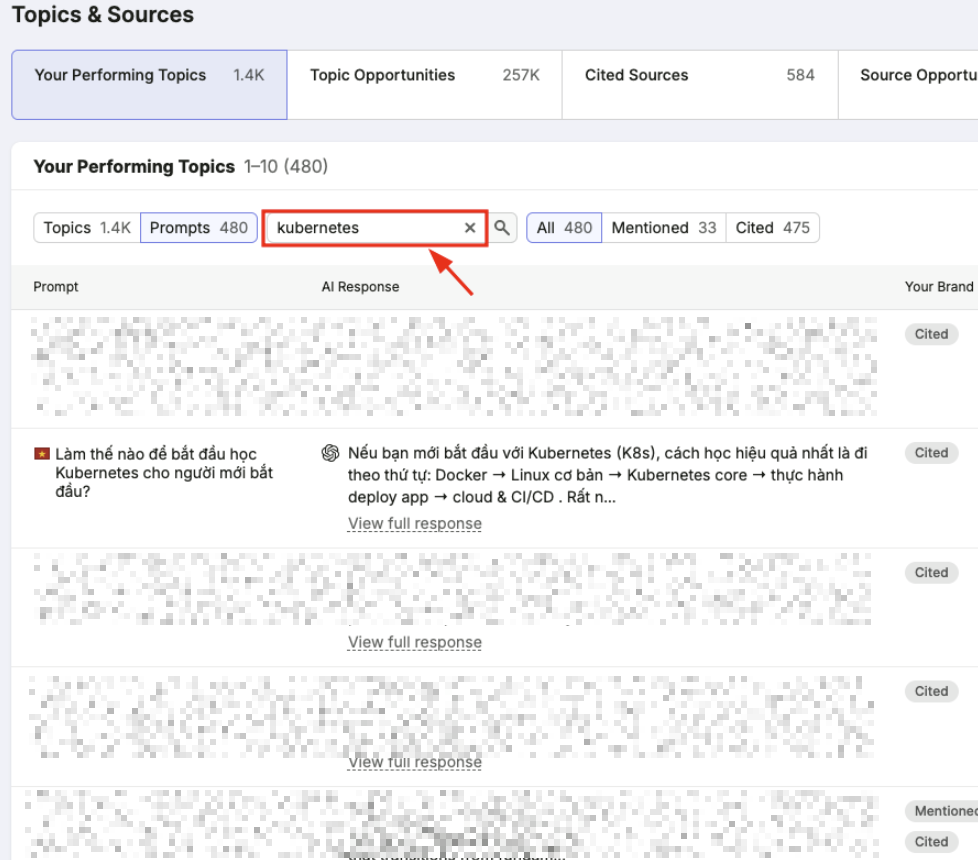
You can also filter prompts by keywords. I typed Kubernetes, and the tool filtered the prompts to display only Kubernetes-related results.
The next one is Topic Opportunities.
This section will show the topics and prompts that you are not visible for, but your competitors are getting cited.
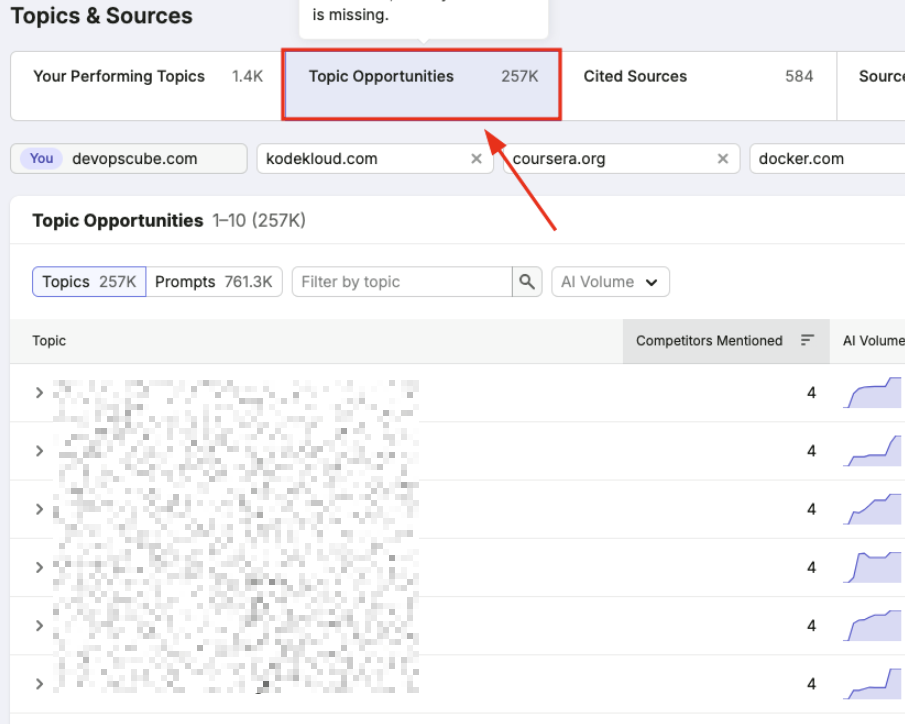
This is an opportunity to see what's missing from your site so you can fix it during optimization.
Let me get straight to the point about the balance of the three metrics here.
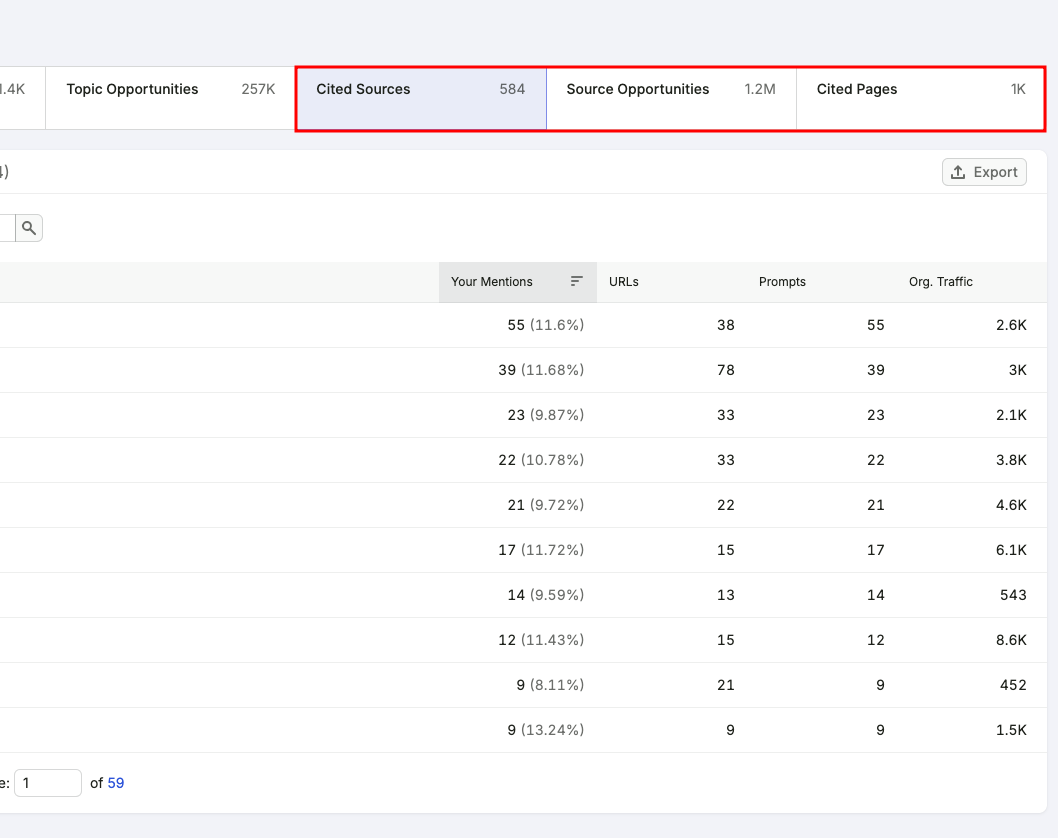
- Cited Sources - Your domain is referenced in the LLM-generated answers.
- Source Opportunities - It shows that, sources are cited by AI, but your brand is missing.
- Cited Pages - This will show which pages from your site appear in AI-generated answers.
These are the features you get in the Visibility Overview tool. All of which gives you the opportunity to make your site visible in AI search results.
Next, lets see about the Competitor Research tool.
Analyze Your Competitor Using Semrush AI Competitor Research
In DevOpscube, we are using this tool to compare our website with competitors' websites for the AI-generated answer to identify the gaps, prompts, and topics that are cited by LLMs.
You might ask, why should I do competitor research?
The reason is simple. When you look only at your own visibility report, you will find some opportunities, but the number of insights is limited.
But, when you analyze your competitors, you can find more opportunities that are already being cited in AI-generated search results, which you might not know about.
So, lets get into it.
How to Use the AI Competitor Research?
Go to AI Competitor Research from the menu bar, and enter your Domain.
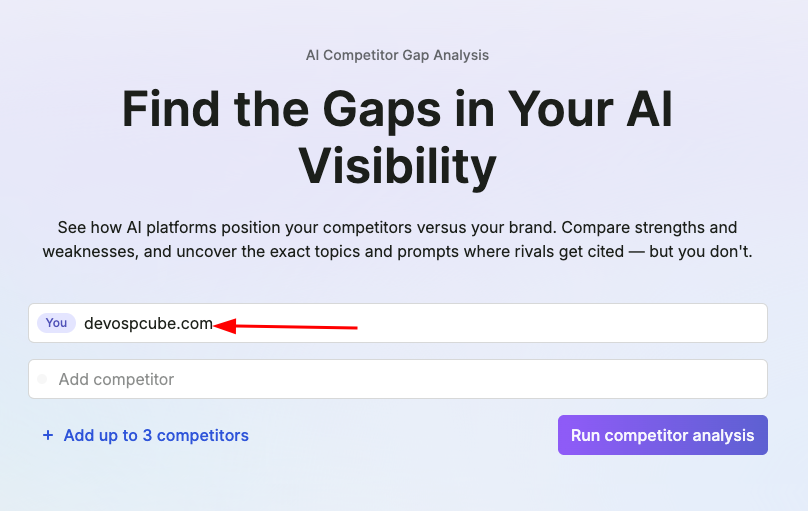
The interesting part is that you don't need to enter your top competitors manually. Semrush will automatically identify and pull your top competitors for you.
Sometimes the suggestions may not be completely accurate, but in most cases, they are relevant. You can also add competitor domains manually if you have specific competitors you want to compare.
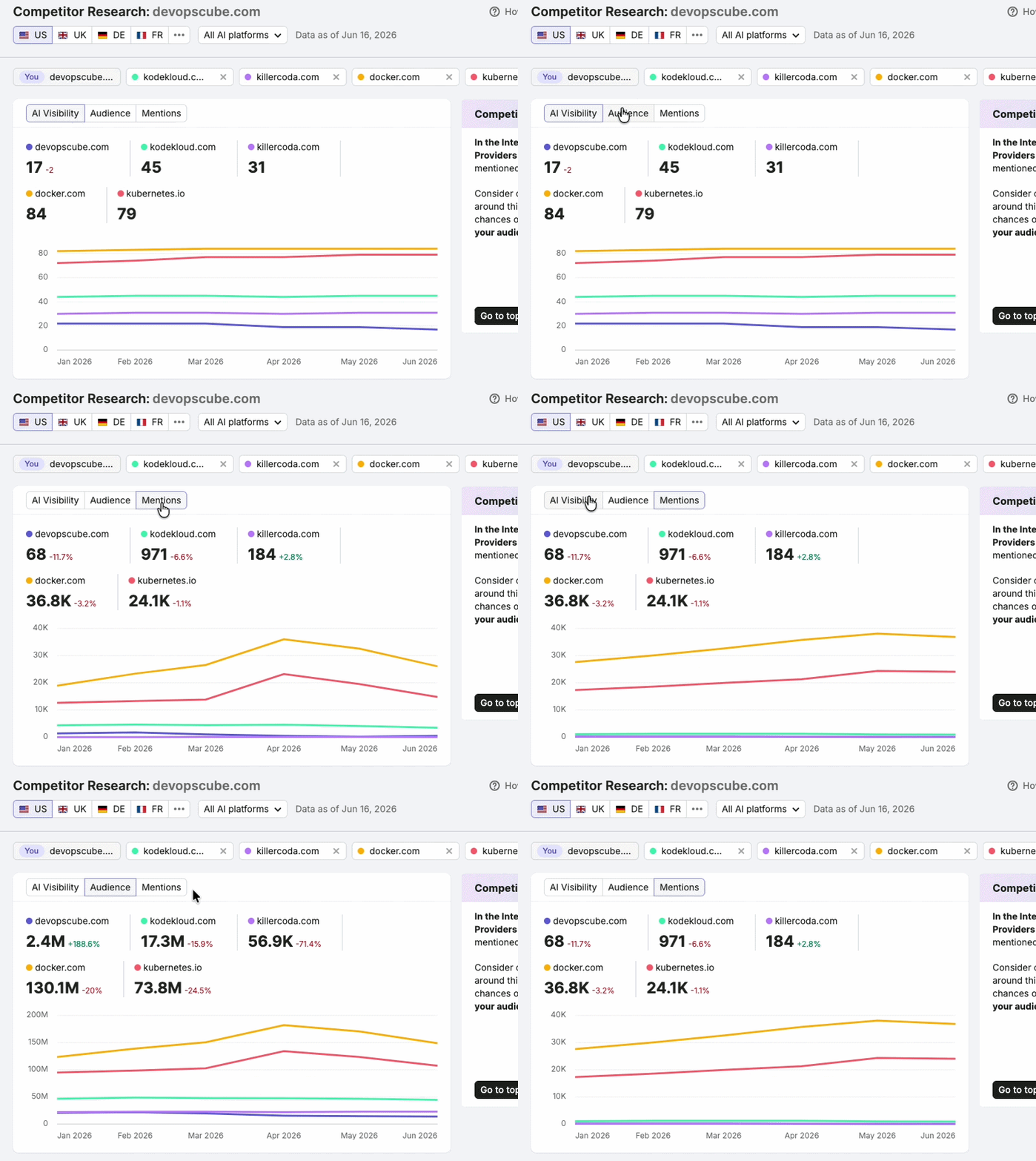
Now, you will see three tabs:
- AI visibility
- Audience
- Mentions
AI Visibility
The AI visibility tab shows your AI visibility score ranging from 0 to 100.
By comparing this score with your competitors, you can understand how often your website appears in AI-generated search results relative to theirs.
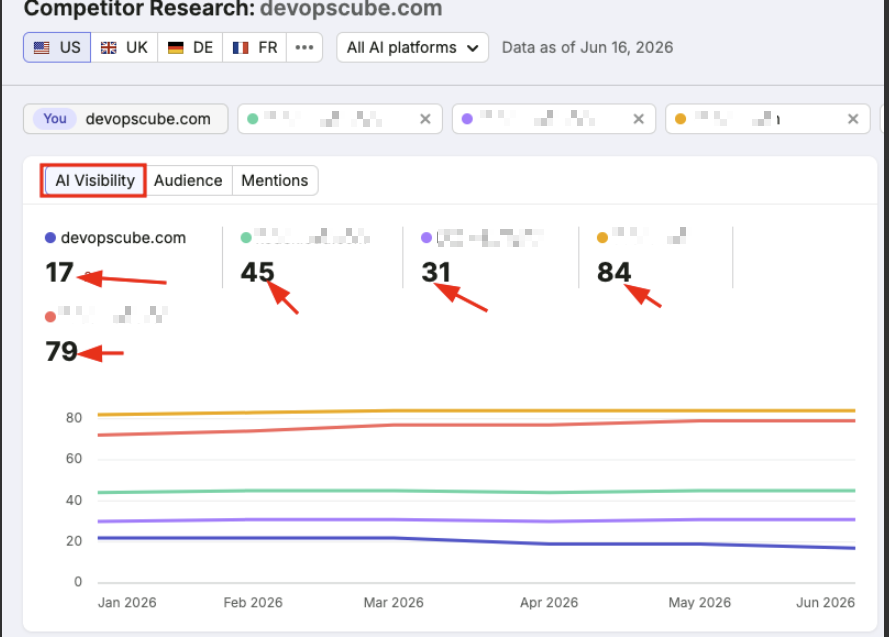
For example, if your brand is currently scored lower than some of your competitors in AI-generated answers.
Don't worry if your score is lower than your competitors right now. The report shows exactly where you can improve and find new opportunities.
Audience
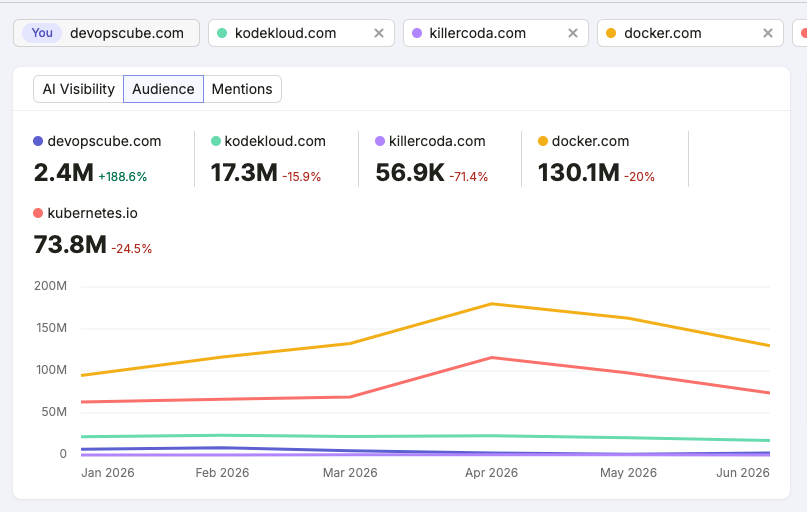
The Audience metric shows the estimated number of people who may see your brand in AI-generated search results.
Mentions
This metric shows how often your brand is mentioned in AI-generated answers across different prompts and users.
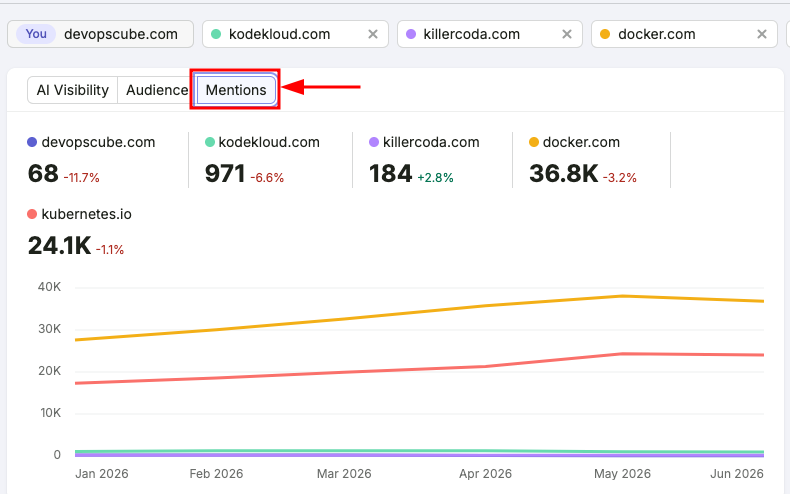
For example, if a user asks, What are the AI Digital Marketing Tools? and the AI includes your website in its answer, that counts as a mention.
If two different users ask the same prompt and your website is mentioned in both responses, it will be counted as two mentions.
Here comes the main part.
Analyze Competitors' Topics & Prompts
In this section, you can identify your strengths and weaknesses compared to your competitors and discover which content performs best for them.
This is where you can get valuable content opportunities. Let me explain how.
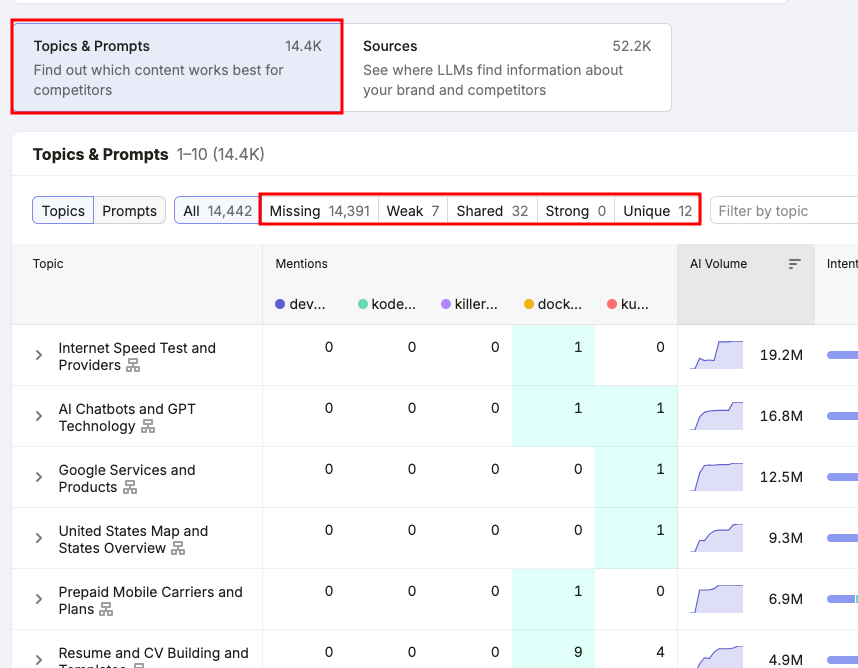
Let me explain what you can identify in this section.
- Missing - This indicates that competitors have covered this topic, but your brand or website has not.
- Weak - This spot indicates that your competitors mention the topic more often than your site.
- Shared - Both you and your competitors have covered these topics.
- Strong - Your website covers these topics more strongly than your competitors.
- Unique - These topics are mentioned only on your website and not by your competitors.
These insights help you understand strengths and opportunities in the Topics & Prompts section.
Track Your Prompt
You have probably heard of keyword tracking, but have you heard of Prompt Tracking?
Yes, in Semrush, you can track prompts as well, which helps you monitor how your brand appears in AI-generated answers.
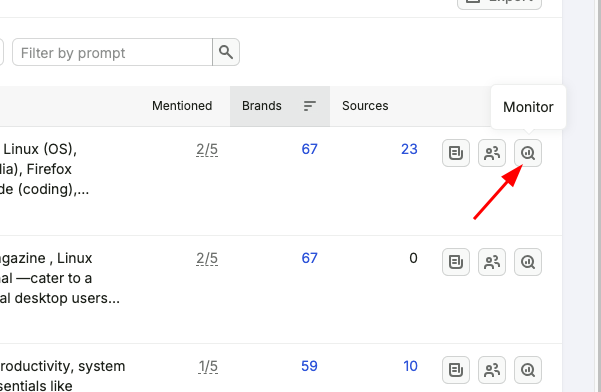
For example, if you want to track a prompt and monitor its performance. Just click the Monitor icon as shown in the image below.
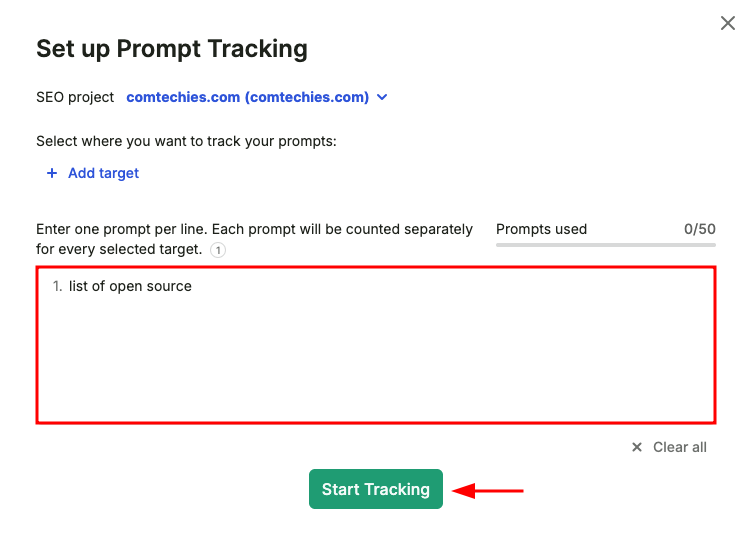
Now, you will be redirected to the Prompt Tracking setup page.
The prompt you selected will already be added to the tracking list, and you can add more prompts if needed.
Once you have entered all the prompts you want to track, click Start Tracking to complete the setup.
It's pretty cool, right?
Just to recap, so far, you have learned AI visibility, identified content gaps, analyzed competitors, and tracked prompts
Now, let's move to Prompt Research and see how it helps you find valuable prompts that people are searching for in LLMs.
How to Do Prompt Research?
In the Prompt Research tool, you can find the topics and prompts that people are asking in LLMs such as ChatGPT, Gemini, and Google AI Overviews.
Previously, you did keyword research to optimize content for search engines like Google. Now, you also need to optimize for LLMs. In this new era, prompt research is for AI-powered search.
This is the same as keyword research, so let's get into it.
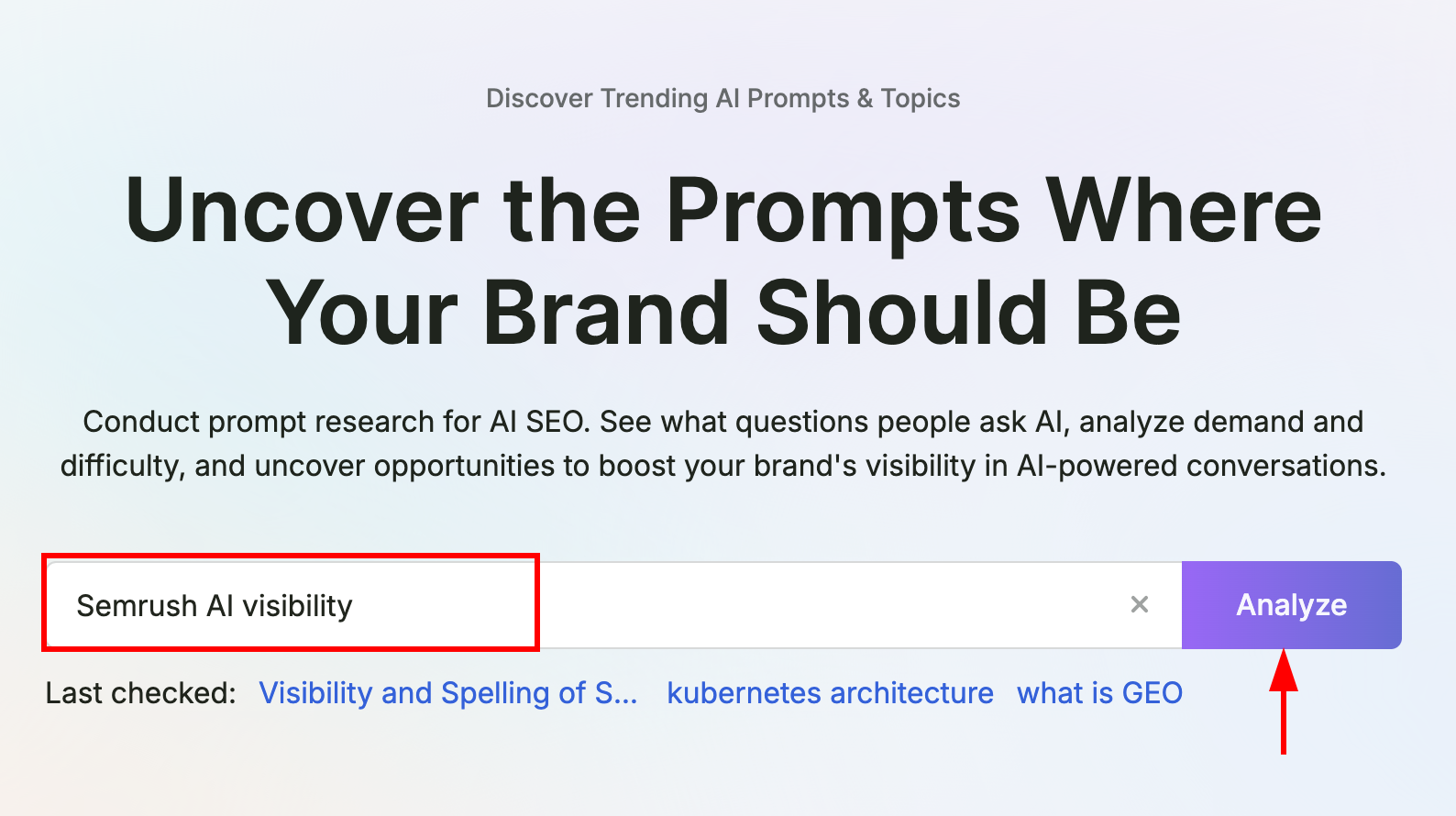
First, go to Prompt Research and enter the keyword for which you want to find related prompts.
You will see a dashboard, as shown in the image below. Let me explain each section one by one.
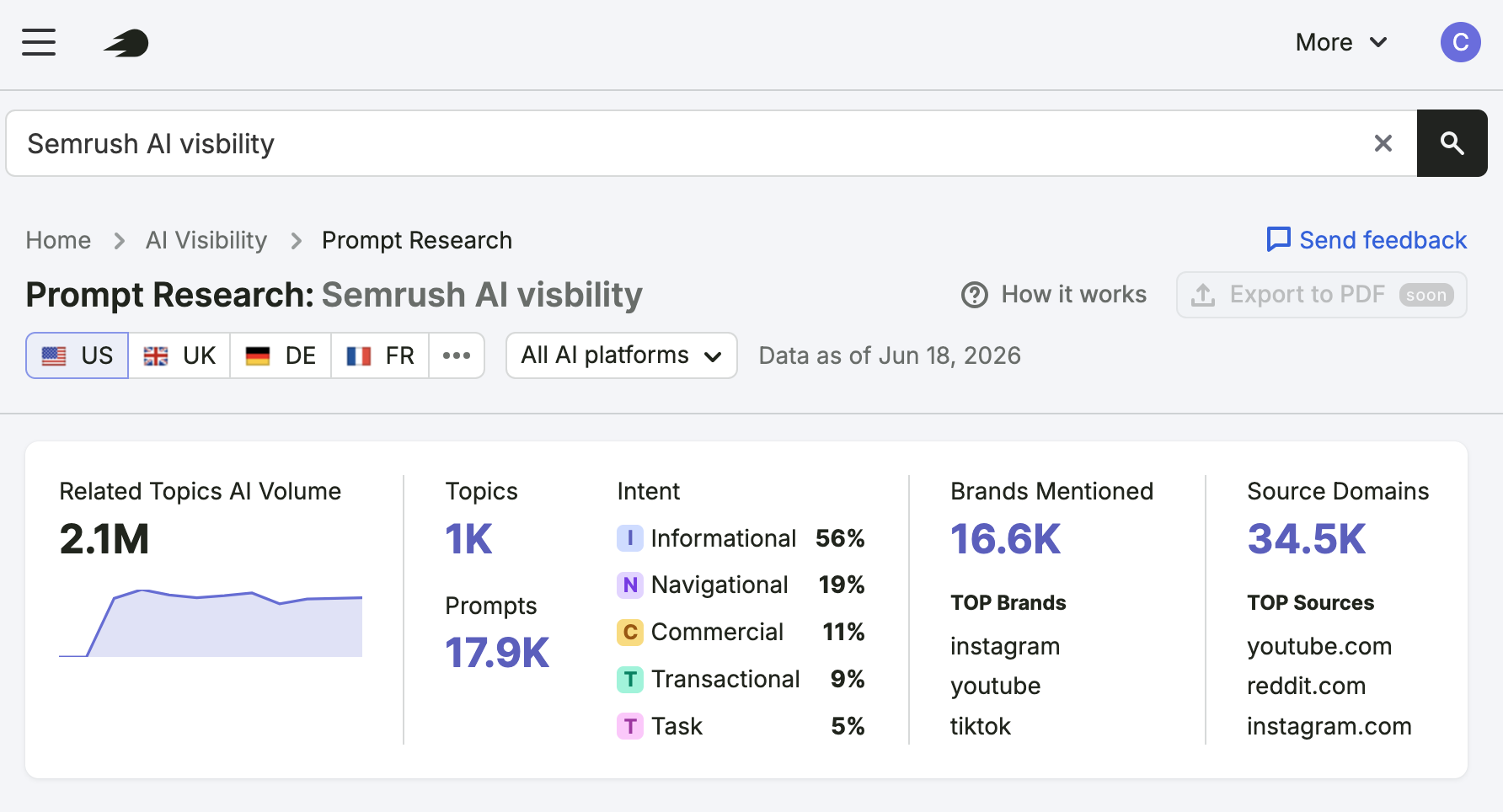
- Related Topics AI Volume - The estimated monthly AI search volume for related prompts
- Topics - The total number of topics related to your search query.
- Intent - Indicates whether users are searching with informational, navigational, commercial, transactional, or task-based intent.
- Prompts - Number of related prompts for your search query.
- Brands Mentioned - Shows the total number of brands mentioned in AI-generated answers for the analyzed prompts.
- Source Domains - It shows the number of source URLs cited in AI-generated answers for the analyzed topics.
Now scroll down, you will see the Related topics section.
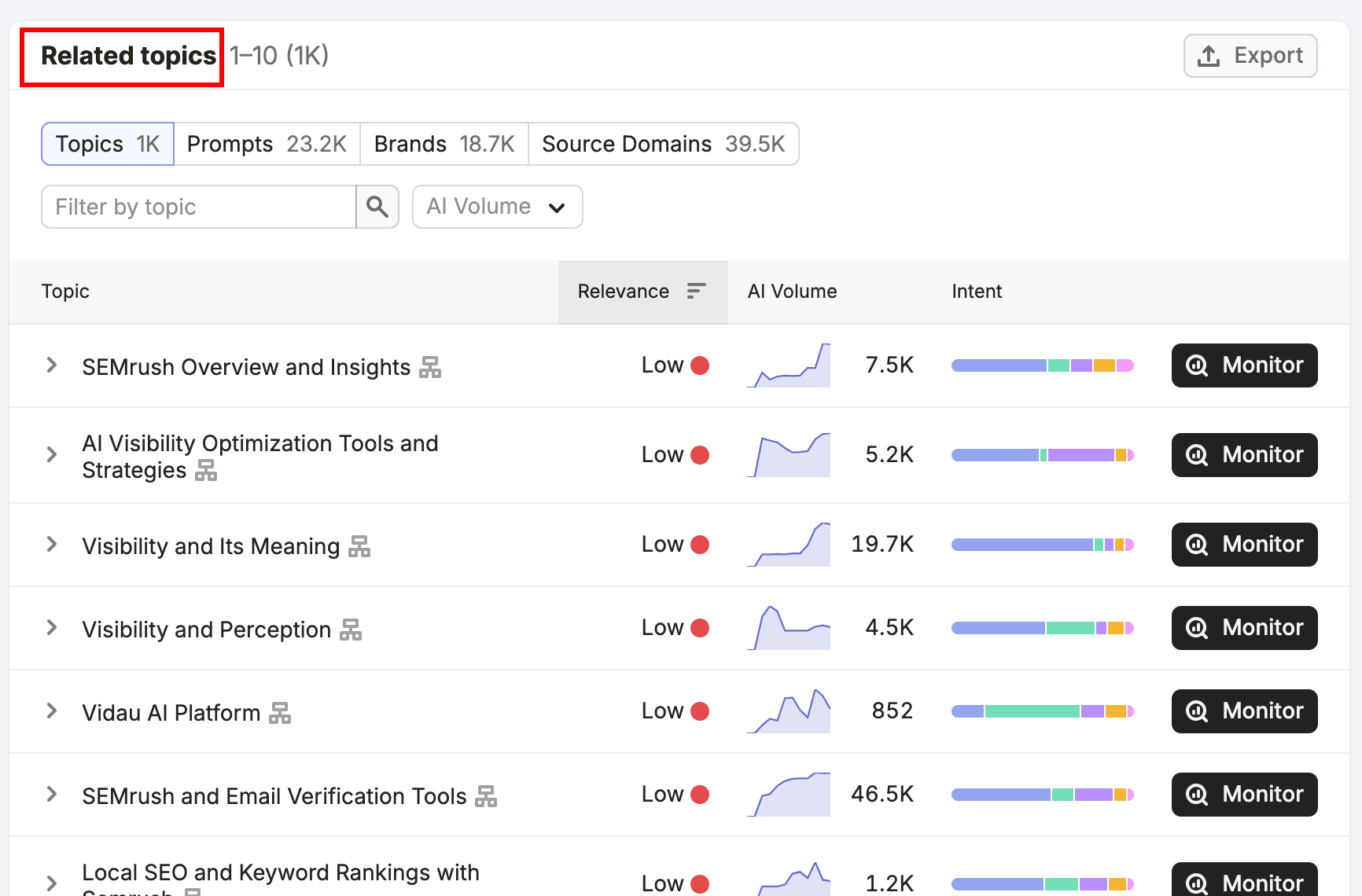
Here you can see all the topics related to your input keyword. You can also view the relevance score, AI volume, and search intent for each topic cluster.
You can add any topic to tracking and monitor all the prompts within it.
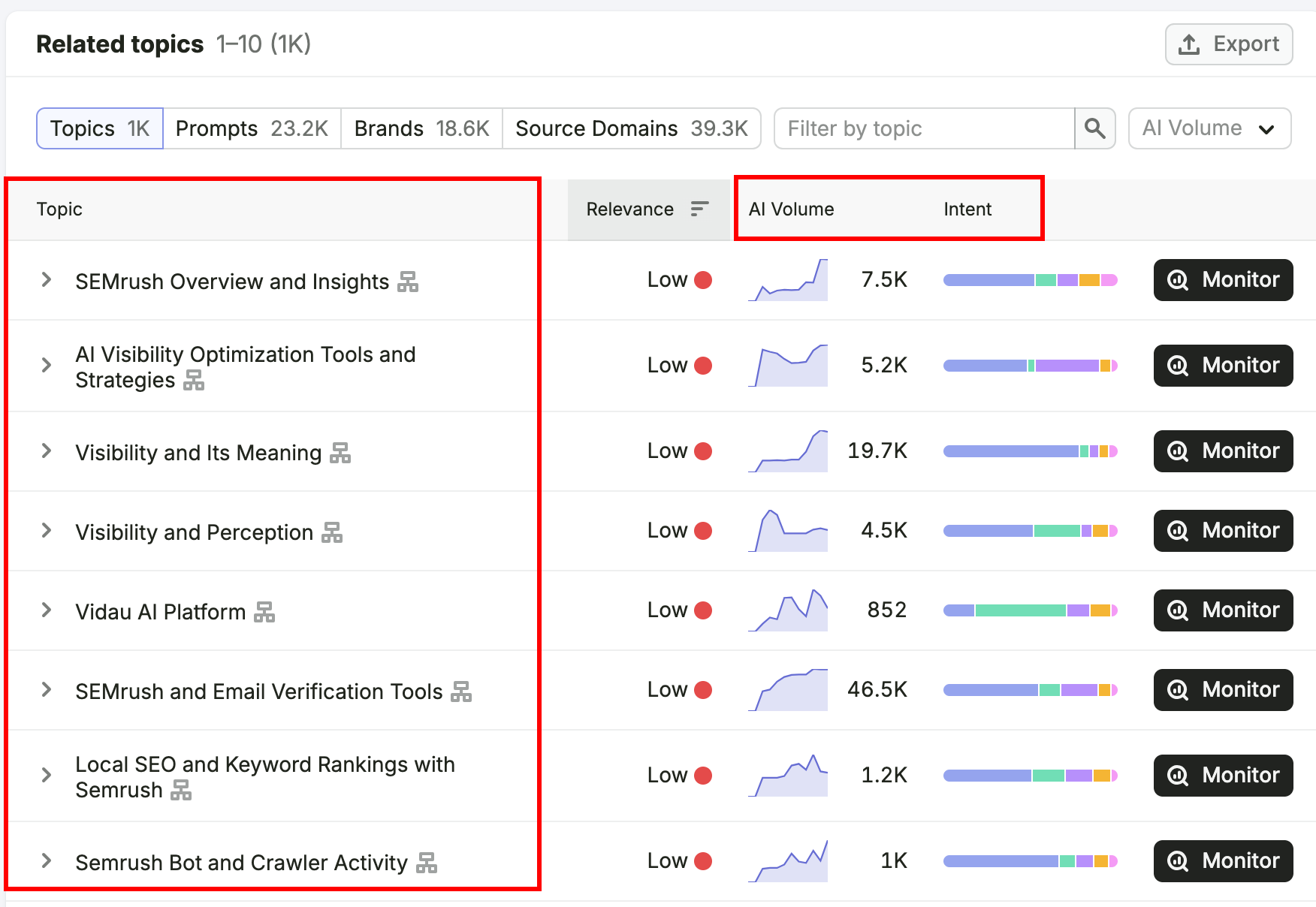
This is one of the most valuable parts of the report.
If you click on a topic, you can see the actual prompts users are asking AI platforms.
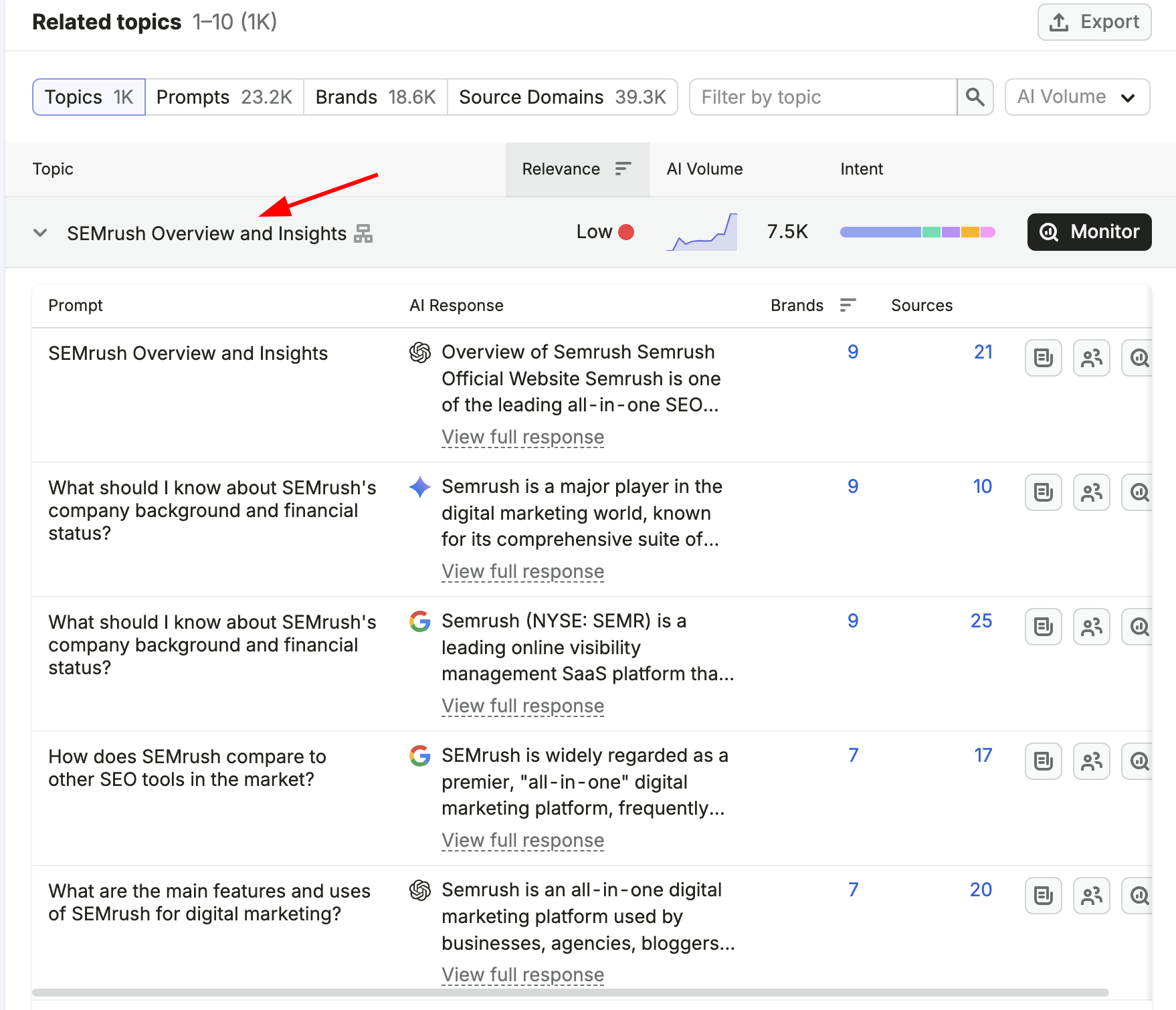
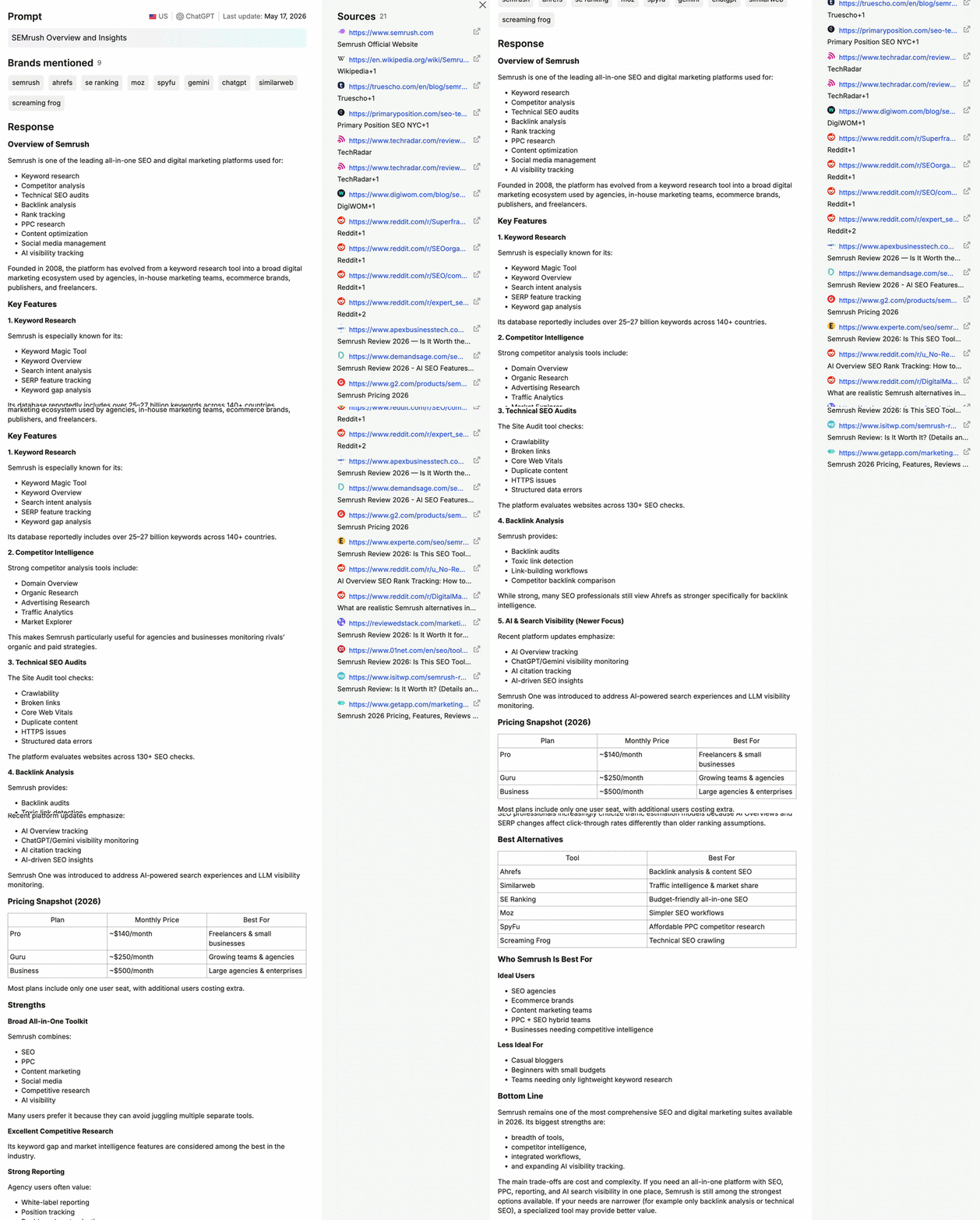
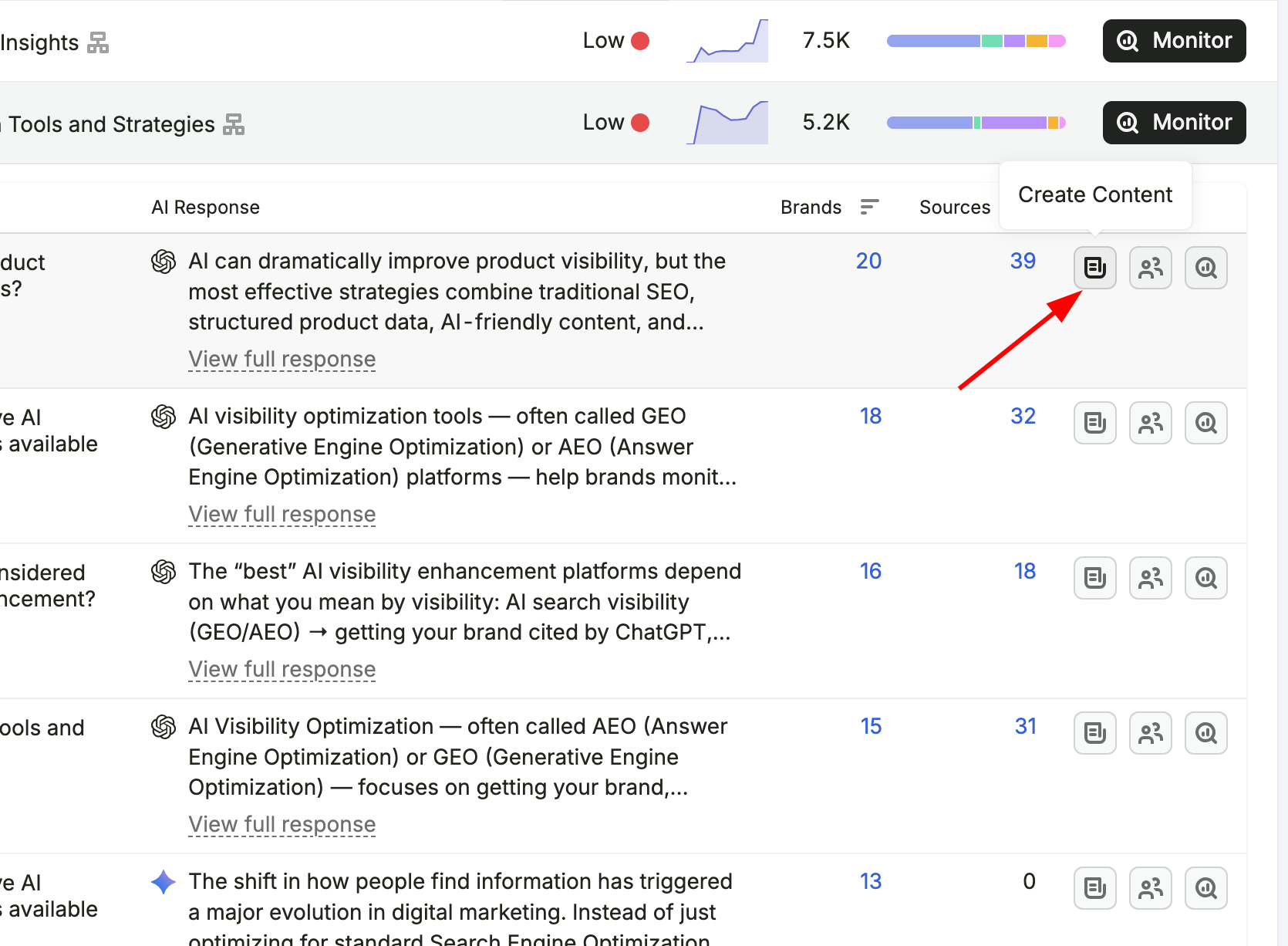
In the Prompts section, you can view the AI-generated response, the number of brands mentioned, and the number of source URLs cited in a single response.
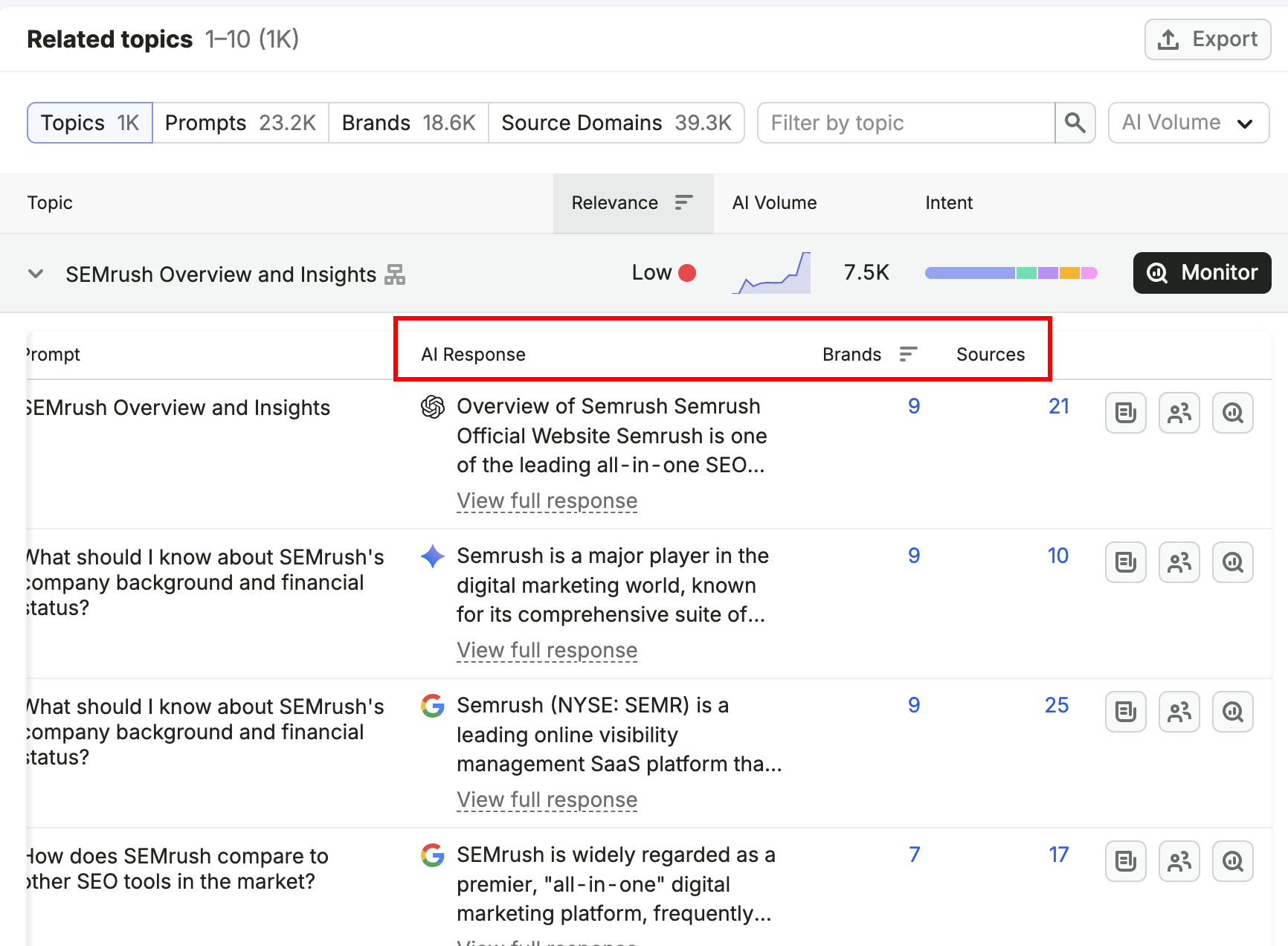
To see the complete AI-generated answer, click View Full Response. You will then be able to view the full response, as shown in the video below.
One of the best features is that you can create content directly with the Semrush Content Tool, using these prompt insights.
That's it for Prompt Research. As you can see, it is not complicated at all, its actually very simple to use.
Prompt Research helps you go beyond traditional keyword research and gives you a better understanding of how people interact with AI.
It provides valuable insights into the questions, topics, and prompts users are asking in AI platforms.
This makes it one of the best ways to create and optimize content for AI-generated search results.
Conclusion
I hope you already know that people are barely clicking the links. Instead, they are getting answers directly from Google AI Overview, ChatGPT, Claude, Gemini, and other LLMs.
Because of that, creating and optimizing content for LLMs has become more important than ever.
After we started using Semrush AI Visibility at DevOpsCube, we realized that improving AI visibility is not just about publishing more content.
It is about creating content that LLMs trust and find valuable enough to cite.
- Just find the topics and prompts where your competitors are getting cited, but your brand is not, and fill those gaps.
- Update your existing content with missing questions and answers.
- Start creating new content with high-volume prompts using Prompt research.
- Add your own insights, real-world examples, and your personal experiences.
- Build authority, publish in-depth content, and high-quality content.
From my experience, I understood that simply publishing more content will not automatically increase your visibility, authority, credibility, or trust.
You will gain those by understanding what people are asking in LLMs, and improve your content to answer those questions better than your competitors.
That's it.
If you have any questions about this guide, feel free to drop them in the comments.
We are happy to help and clear up any doubts.