

Email List Hygiene: How to Clean Inactive Subscribers


I have been running our DevOpsCube newsletter for a long time, and recently, I noticed something unusual.
Our subscriber count was growing, our open rates were dropping.
After looking into it, I found that our list included many inactive subscribers.
These were people who had subscribed but had not opened our emails for months.
I decided to clean up the list by removing those inactive subscribers.
To make the process easier, I used Claude and Beehiiv to create a segment and automatically identifies subscribers who meet out inactivity criteria.
I still reviewed the segment and handled the removal myself
In this blog, I will walk you through, what email list hygiene is, why we cleaned our list, and I used Beehiiv and Claude to simplify the process
If you run a newsletter and have noticed your open rates dropping, this guide shares what worked for us.
What is Email List Hygiene?
Email list Hygiene is the process of keeping your email list clean and up to date. This includes reviewing inactive subscribers and removing invalid email addresses or subscribers who no longer opens your emails.
For our newsletter, I focused on subscribers who had no recorded email opens in the previous three months.
Why we clean our Email Subscriber List?
Our main reason was to improve open rates, and focus on subscribers who actively read and learn from our newsletter.
Cleaning the list leads us to better email deliverability and a better understanding of how many people were engaging with our content
We were getting a 73%, 69% open rate for the newsletters.
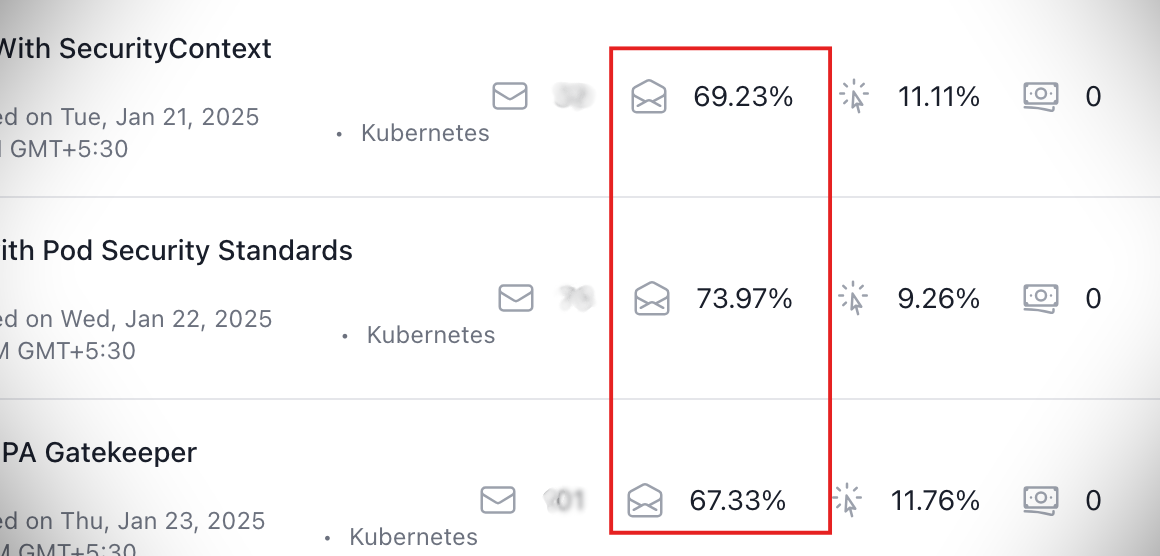
To be honest, the subscriber list is growing fast. But the open rate started to decrease.
I was so confused about why it was happening.
You can see it dropped to 24%:(
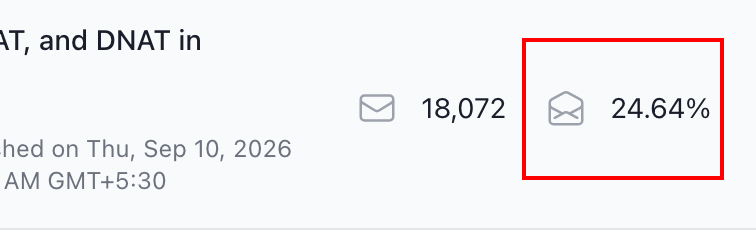
Then I started researching the common causes of declining open rates.
These are the some possible reasons I found:
- People subscribed but never opened an email
- Previously active subscribers stopped opening our newsletter.
- The topics were no longer relevant to some subscribers.
- Emails delivered to the spam folder
But in our case, it is a little different. We just want to find inactive subscribers who had no recorded open in the last three months.
We are using the Beehiiv for our newsletter.
So I just connected it to Claude through the Beehiiv MCP to help create the segment.
When Should You Consider a Subscriber Inactive?
Before cleaning your email list, you need to decide when to consider a subscriber inactive.
There is no fixed number of missed emails that works for every newsletter because sending frequency varies.
For example,
If you send an email every day, a subscriber could miss 30 emails in a month.
But if you send once a week, they would miss four emails during the same period.
So, instead of counting how many emails someone has ignored, it is better to look at how long they have gone without engaging.
For our newsletter, I consider a subscriber inactive if they have not opened a single email in 90 days(3 months).
Here is range you can consider:
| Subscriber activity | Status |
|---|---|
| Engaged within the last 30 days | Active |
| No opens for 30–90 days | At risk |
| No opens for 90–180 days | Inactive |
| No engagement for more than 180 days | Highly inactive |
How I Identified and Clean Inactive Subscribers?
You can create a segment manually in Beehiiv. I used Claude to help with the setup, then reviewed the result myself.
After connected Beehiiv MCP to Claude, I described the subscribers I wanted to identify and asked Claude to create a segment.
Claude handled the setup, but I made the final decision about which subscribers to remove.
Here are the steps I followed.
Step 1: Ask Claude to create a segment
I opened Claude and asked it to create a dynamic segment for subscribers who had no recorded email opens in the previous three months.
The screenshot below shows the prompt I used.
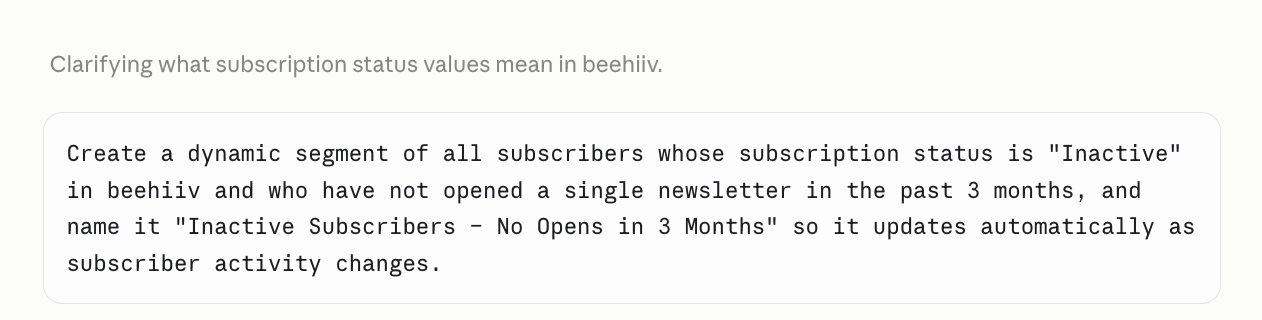
Within a few minutes, Claude created the segment inside our Beehiiv account.
Step 2: Verify the segment in Beehiiv.
Next, I opened segments from the side menu in Beehiiv
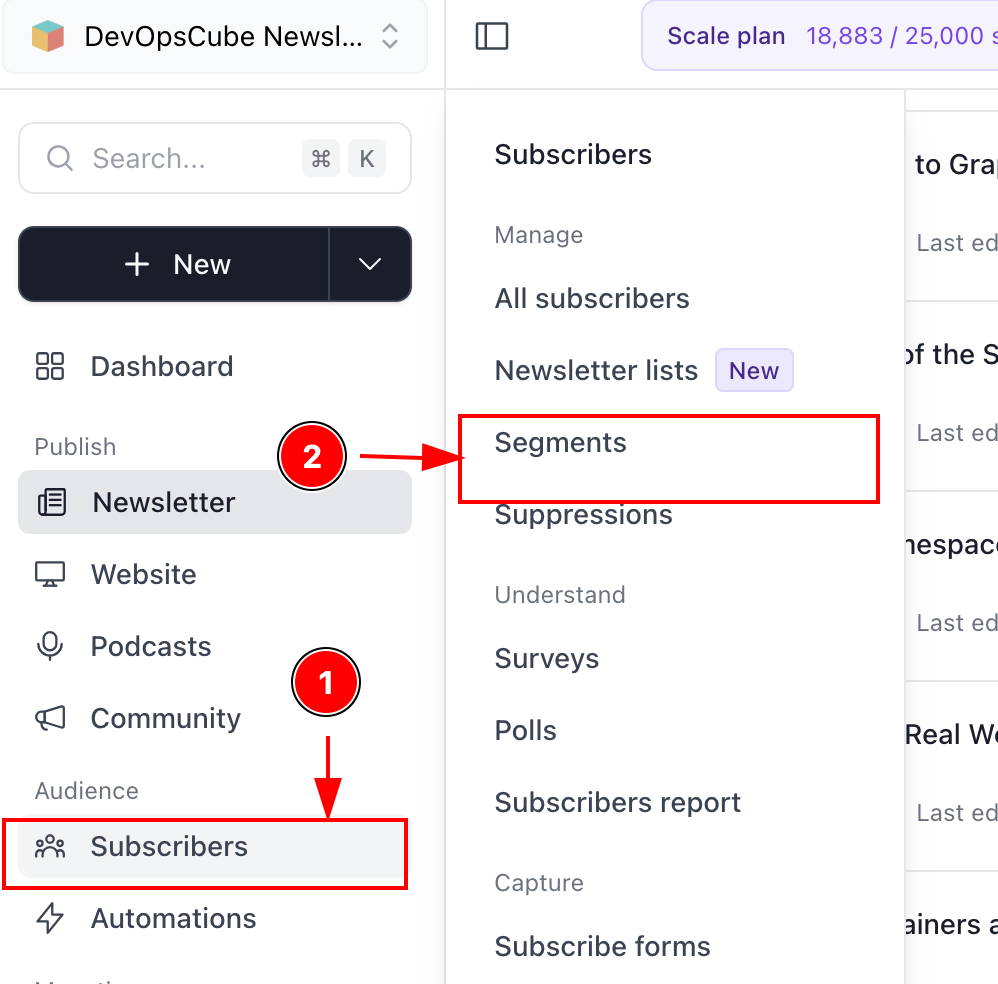
Here is the segment that Claude created for us.
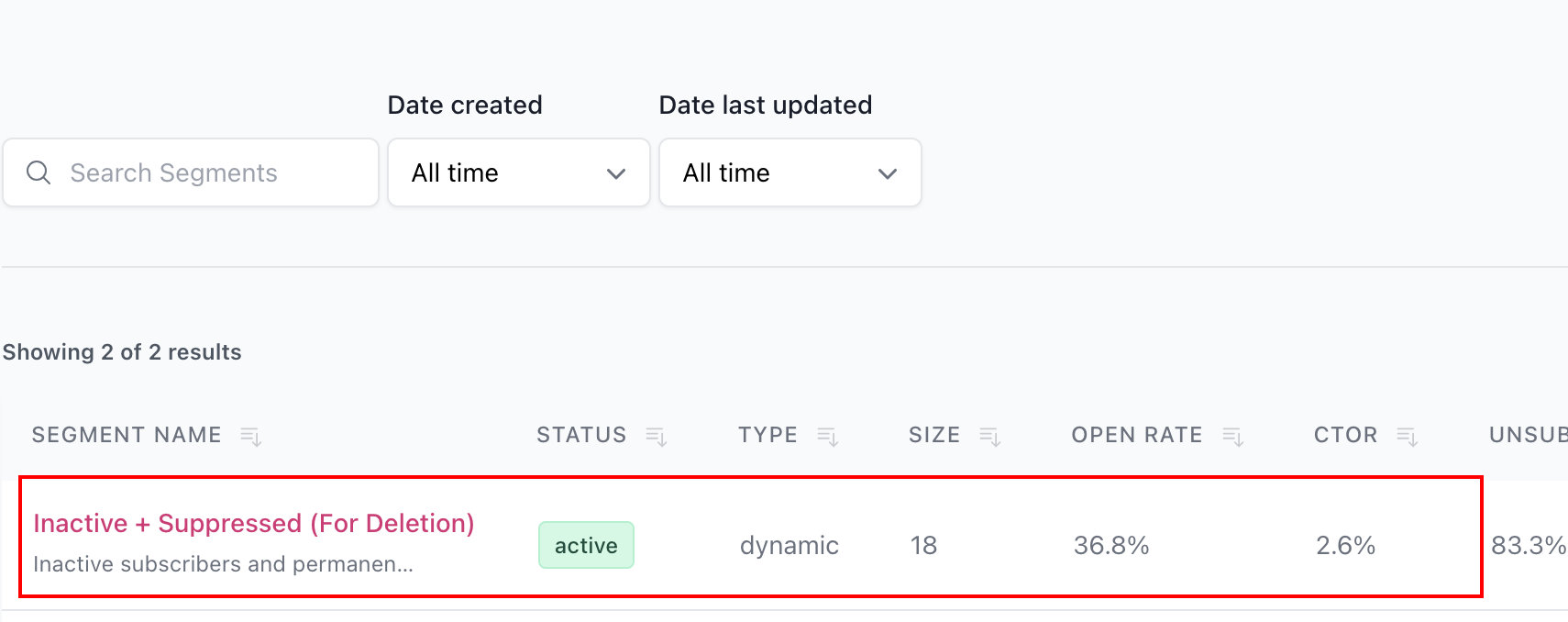
Before taking any action, I checked that the segment conditions matched what I had requested.
Literally we got around more than 2,000 inactive subscribers from our newsletter.
Step 3: Delete the inactive subscribers
After reviewing the segment, I deleted those subscribers from our newsletter.
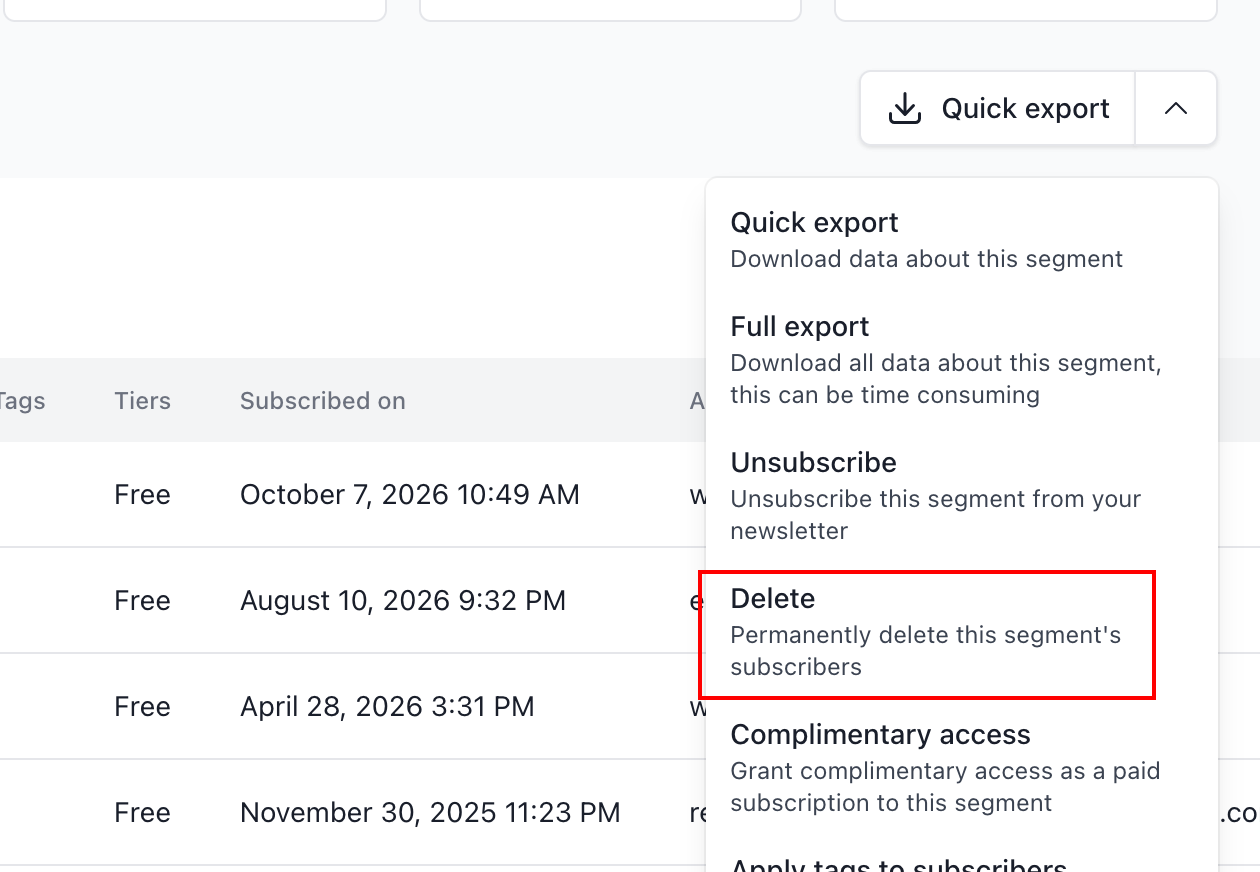
For our newsletter, I chose to delete them, that was our approach.
But you can give inactive subscribers another opportunity to engage before deleting them.
I will explain that option below.
Why I chose a Dynamic Segment?
I chose a dynamic segment because I wanted the list of inactive subscribers to upgrade automatically based on the condition I had set.
In our case, I want to identify subscribers with no recorded email opens in the previous three months.
After I removed the initial group of more than 2,000 subcribers, the segment could continue identifying others who me the same condition.
This meant I did not need to create a news segment for each cleanup.
Identifing inactive subscribers is Beehiiv's job, I just reviewed and cleanup.
Yeah, and I clean the list every week. Because we send newsletters every Wednesday, So I will clean the list every Tuesday, if there is any inactive subscribers.
If you don't want to delete the inactive subscribers, you can always try another one way, let me explain what it is.
Re-Engagement Campaign
If you do not want to remove inactive subscribers immediately, you can try a re-engagement campaign.
We did not use this approach for our newsletter because I personally think it would be double work for us, so I chose to delete inactive subscribers to keep our process simple.
But, it is an option to consider before removing someone from your list.
Sometimes, subscribers stop paying attention because the topics no longer match their interest or they might have missed your emails.
A re-engagement campaign gives you a chance to ask whether they still want to hear from you.
Send a seperate, simple email to your inactive subscriers.
Remind them what you newsletter is about, and ask whether they would like to keep receiving it.
If they respond or engage again, you can keep them on your list. If they remain inactive agter your chose response period, you can decide whether to remove them for your future newsletters.
Build an audience that wants to receive and read your newsletter.
Conclusion
In this blog, I have covered about email list hygiene, how it works, and how to remove them, and why it is important to remove inactive subscribers.
When we started our newsletter, our main goals were to share useful content and grow our subscriber list.
Over time, I realized that subscribers only subscribers growth wasn't enough. We also needed to pay attention to whether people were reading our emails.
That is why email list hygiene became part of our regular newsletter routine.
Yeah, that's pretty much everything.
If you have any doubts regarding this guide, drop them in the comment.
I will happy to clear it.
Have you cleaned your email list before?
Useful Guides: